Trending Music Capcut Template – So friends, in this new article, I’m going to give you a template for editing a viral Instagram music video. You’ve probably heard this viral music, which is from a trending song, and a walking video set to this music is going viral. People are using that video to create their own edits in different styles, so I’ll give you a template for that editing style. It will feature the girl’s dance video first, followed by your own clips where you’ll be showcasing your attitude. The editing template I’ll provide will work with CapCut, so make sure you have the latest version of CapCut ready before using the template. If you want to understand the whole process, keep reading the article; I’ll explain it in a simple way. Friends, the link to this CapCut template is given in the button below the image in the article. So read the article, then follow the instructions to use the template and easily edit your video.
About This Trending Music Capcut Template
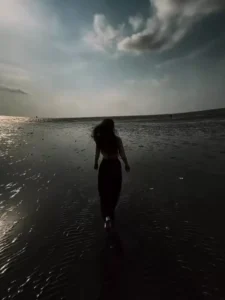
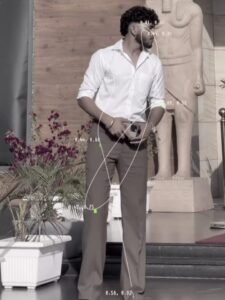
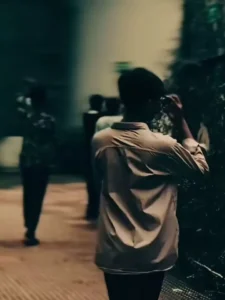
Take a look at the editing applied to this template: the video begins playing, appearing at first like a standard video clip. Then, a “camera shutter” sequence kicks in—creating the illusion that individual photographs are being added to the footage—followed by the display of meme-style text overlaid on the video. The very next moment, a cutout of our body pops up within the frame. This transitions into the next clip, which features a slow-motion effect. This pattern continues, with the clips changing two or three more times—each transition synchronized perfectly with the beat of the background music. This template has been designed in such a way that you can use it to transform an ordinary video into something truly unique and creative. While attempting to replicate this editing style manually would be quite time-consuming, this template allows you to achieve the same result with effortless ease.
How To record Clip Fir This Editing
Look, we designed this template in an attractive and stylish way. It starts with a dancer’s video, and then our clip begins, where we appear in a full-on, confident mood. You need to add a video clip where you don’t look normal, but instead have a royal look and attitude. And you can add a walking video to this template where you are seen walking in different styles. You need to record video clips from different camera angles, and record at least 4 to 5 video clips. Then, add as many as required to the template. After doing all this, our trending video will be ready.
Update –
Friends, another new video editing trend is going viral on social media; I am sharing the template for it in this article, and with its help, you can easily create your own ‘attitude’ music video. You can check out the template here.
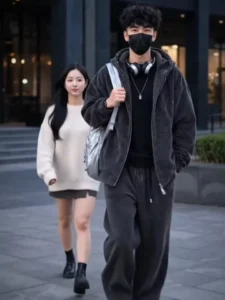
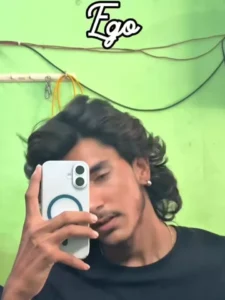

How To Use Trending Music Capcut Template
Look, the CapCut application template has been provided to you in the “Check Template” button above. Now you need to learn how to use it so that you don’t face any problems. Therefore, it is essential that you read this paragraph; it is the most important paragraph in this article. In this paragraph, I will tell you all the steps that you need to follow to edit using the video template.
- The first thing you need to do is open the template link from the “Check Template” button.
- This link will open in CapCut. It is mandatory to have the latest version of CapCut before using the template.
- If you don’t have it, install it first. Then, open the template in CapCut.
- You will see a preview video of the template.
- Below the video, you will see the “Use Template” option; click on it.
- This will open your gallery, and you can add your clips.
- Then click on the “Next” button. You will see a preview of your edited video.
- If there are some effects, the editing might take some time, so wait a few moments,
- And your video will be ready.
- You can save this edited video using the export button
Conclusion
So friends, this is how you can use this template to create your own attitude music video edits, and this template will work easily. Just follow all the steps. And if you want more such trending templates, keep visiting this website. You’ll find tutorials on new and trending video editing techniques here.