Montagem Nada Capcut Template – Hello friends, welcome to today’s article. In this article, I’m going to teach you a new trending video editing technique. You’ve probably seen this type of video on social media; it’s going viral these days, and editing them is incredibly easy. If you don’t know, I’ll teach you. I’ll even provide a template for this editing, and with this template, you can easily edit your videos. Most people are editing their videos using templates these days. This template is very special; it will edit your video in one click; you just need to add your clip. If you want to make your videos trending and edit them professionally, read this article. I’ll teach you everything in detail here.
Full Breakdown Of This Trending Editing
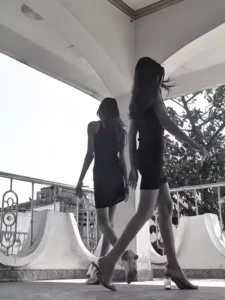
So, let me break down this trending video editing technique. You should learn about it first. Look, this template is edited in such a way that you’re standing in your normal clothes at the beginning, then stretch your legs back, then lower them, and you’re ready to wear stylish clothes. A smooth transition is used in between, making the editing even more impressive. The second clip uses a black and white filter effect. Not many effects are used here, but if you watch the second clip, you’ll see slow motion. Our first clip is short, so we didn’t use slow motion lights in it. If you want to set it up perfectly, using a template is the best way. Your video will be perfectly edited using the template.
How To Prepare Video Clips For This Editing
Friends, let me explain how you should prepare your clips for this trending video editing. You’ll need two clips for this editing, and you’ll need to record both of them properly. First, prepare the first clip in normal clothes. Set up the camera in one place, then start recording the video clip, either alone or with your sister or friend. Stand on opposite sides of the camera, both of you pose, and each of you lift one leg, pretending you’re about to go somewhere. That’s all you need to record in this clip. Now, for the second clip, get ready, dress up, and wear makeup. Then, in the same pose as you would lift one leg, cross each other. In this way, you can prepare both video clips and then use the template to edit them professionally.
Note: Some CapCut templates may not open in certain regions due to the app’s own restrictions. If the template button doesn’t respond, please try again later or open it directly from the official CapCut app. This external link opens the original CapCut template in a new tab. We are not affiliated with CapCut; all rights belong to their respective owners, and we only provide links for user convenience.
How To Use Montagem Nada Capcut Template
Look, the CapCut application template has been provided to you in the “Check Template” button above. Now you need to learn how to use it so that you don’t face any problems. Therefore, it is essential that you read this paragraph; it is the most important paragraph in this article. In this paragraph, I will tell you all the steps that you need to follow to edit using the video template.
- The first thing you need to do is open the template link from the “Check Template” button.
- This link will open in CapCut. It is mandatory to have the latest version of CapCut before using the template.
- If you don’t have it, install it first. Then, open the template in CapCut.
- You will see a preview video of the template.
- Below the video, you will see the “Use Template” option; click on it.
- This will open your gallery, and you can add your clips.
- Then click on the “Next” button. You will see a preview of your edited video.
- If there are some effects, the editing might take some time, so wait a few moments,
- And your video will be ready.
- You can save this edited video using the export button.
Conclusion
Friends, this way you can easily edit this trending video with the help of updates. I’ve explained the entire process to you. Now you can follow them and start editing without any problems. And if you want to learn new trending video editing techniques like this, or use templates, keep visiting this website, where new training video editing techniques are taught. I hope you all understand. You can share this article if you wish.