Gujarati Sad Edit Capcut Template – Currently, a particular Gujarati song—a sad ballad—is going viral across social media platforms. Users are creating and sharing edited video clips set to this track, transforming their ordinary footage into something visually captivating. This style of video editing has also garnered significant popularity among viewers. Today, I will show you how to recreate this viral Gujarati video edit using a pre-made template. By reading through this article, you will learn how to automatically edit a video using a template, enabling you to effortlessly transform any standard video into a professional-quality clip with just a single click. So, stay tuned to the article and follow the steps outlined below.
Details of Gujarati Sad Edit Capcut Template
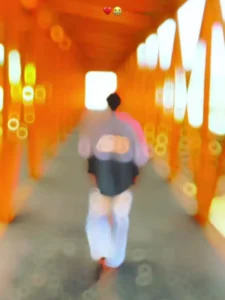
As you can see, the video editing featured here creates a melancholic aesthetic, designed specifically for crafting sentimental videos. The editing style is such that the video begins with a blur effect applied to the opening sequence; then, in the very next moment, the clip becomes visible in slow motion, revealing a “butterfly effect” where numerous butterflies appear to flutter around the subject’s body. Following this, beat-based editing is incorporated. Specifically, flash and zoom effects have been meticulously synchronized—or “beat-synced”—to align perfectly with the rhythm of the background music. Furthermore, the slow-motion effect persists throughout the remainder of the video, with the opacity being intermittently reduced at various points. Finally, a “body clone” effect is introduced, generating glowing clones of the subject’s body for a brief duration. This serves as a quintessential template for creating emotionally evocative videos.
How To Record A Proper Video Clip
Friends, if you wish to create this viral “sad” style video edit, you should use a video clip that conveys a genuinely melancholic mood. If you need a specific concept for this, you can use a clip of yourself walking; this will fit perfectly into the template. You can either record the video beforehand and then use it, or record it specifically for this purpose. You could walk with your head bowed in a sorrowful manner, or record yourself walking while gazing aimlessly around you. Alternatively, you could record yourself walking with an unsteady, stumbling gait. There are many such ideas you can utilize while filming to create a high-quality video clip. Once you have your clip ready, simply add it to the template and proceed with the editing process.
How To Use Gujarati Sad Edit Capcut Template
Friends, in this article, I have provided you with comprehensive information regarding this template. Now, let me clearly explain how you can actually use it. You have two methods available for utilizing this template; you may choose whichever one you prefer or find easiest. One option is to open the CapCut application, navigate to the “Templates” section, search for this specific template by name, locate it, and then proceed to use it. However, you may occasionally encounter an issue where you are unable to properly find the exact template you are looking for—simply because there are already so many other templates available within the app. There is a simple solution for this as well, which I will explain to you step-by-step.
- First, click on the “Check Template” button that we provide within this article.
- Template will automatically open the template directly within the CapCut application.
- You will see a preview video of the template displayed on the screen; below it, you will find an option to “Use” the template.
- Click on that option, and then add your video clips—ensure you add the exact number of clips required by the template.
- Once done, click “Next” and wait for a few moments.
- The template will automatically handle the video editing process for you, and you can save your video.
Conclusion
We hope you will truly enjoy this sad Gujarati video editing style and that you will be able to easily create your own stunning video. Thanks to these templates, you will virtually eliminate your video editing challenges, and you can find many more such new templates within the CapCut application. If you require direct links to the templates—or if you are having trouble locating them yourself—you can visit this website to check them out. Here, you will find links to new templates that you can open and utilize directly within the CapCut application. Please note that we are not the owners of these templates; they belong to CapCut, And You Can use exclusively within that application.