O Dhola Lagi Aang Capcut Template – Friends, I noticed that Gujarati songs are trending a lot lately. People are creating and sharing many videos edited in this style on social media. So I thought I’d provide a template for it. People had also messaged me asking for a template for this song so they could edit their videos easily. So, based on your requests, I’ve brought you another new CapCut application template today, which is based on this trend. The editing in this template is exactly like what you’ve seen in the trending videos. If you want to edit your video in that style, you can use this template. It will edit your video in one click, and you won’t need to do any further editing. Just use it to edit your video, and then you can share it wherever you want. To do this, read this article. Here, I’ve provided all the information about how you can use it and explained all the details. You can learn it very easily if you read the article. Let’s find out more in the next paragraph.
Details Of This O Dhola Lagi Aang Capcut Template
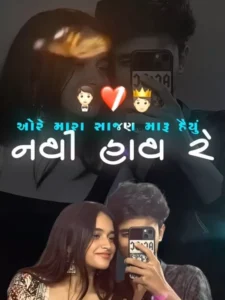
Regarding the editing details, the editing style is melancholic. The video starts with a photo of us and our partner, which is set as the background. The song lyrics are added to the video in Gujarati text. Then, a cutout of our background photo appears, rising from the bottom of the screen. Next, the image changes with a flash effect, and a cartoon image appears. This image depicts our partner betraying us and standing with someone else, while we watch from a distance. This is a video editing style depicting a heartbroken lover, and this type of editing is quite popular.
What kind of clips should we add to this template?
I recommend that since this is a sad-themed editing template, we should add a sad type of video or photo clip. If you add a normal video clip, the editing won’t be perfect, and our video won’t look realistic or professional at all. That’s why we’ll add a sad clip. You can add your own photo or video. If you want to add a photo, add a sad-looking photo. Friends, you can add an image taken with your partner if you have one, otherwise, you can add your own sad photo. If you have ever taken a selfie with your partner, using that will make the video even better.
How To Use O Dhola Lagi Aang Capcut Template
Look, I’ve told you about the template and shared the link with you. Now you can use it, but if you don’t know how to use it, please read this paragraph carefully. You cannot skip any of the steps mentioned here. Read each step and then proceed with your video editing.
- First, click on the “Check Template” button provided above.
- It will open in the CapCut application, provided you already have CapCut installed.
- If you don’t have CapCut, first install the latest version of CapCut.
- Now, click on the template button to open it in CapCut.
- Here you will see a preview of the template and an “Use” option in the bottom corner.
- Click on the “Use” button; this will open your gallery.
- Here, we need to add our clips. We will add as many clips as required by the template.
- Now, click on the “Next” button and wait for a few moments.
- If the template includes slow motion, wait until it’s completely processed.
- Now your video will be ready. You can play it to check and then save it.
- To save, click on the “Export” button at the top, and your video will be saved.
Conclusion
Now you don’t need to do any manual editing. You can use templates to edit your videos professionally in just a few seconds, and you won’t need any editing skills. So, if you want to create perfect video edits quickly, use templates and share your videos on trending platforms as soon as possible so they can go viral. I hope you liked this article and understood everything I’ve explained. You shouldn’t have any problems using it. If you want more such templates, keep visiting our website; we keep bringing new and trending templates.