દોસ્ત માંરો જીગર જાન Capcut Template – Yes, there’s that one person in everyone’s life with whom we share everything, all our joys and sorrows, and we’re always happy together. This could be a colleague, a cousin, or even a childhood friend. Everyone has a best friend. But if you want to deepen and cherish your friendship, I’ll teach you a video editing technique that will help you create a creative friendship video with your friend, complete with lyrics, beautiful effects, and filters. The cool thing is, you don’t have to edit it yourself; you can do it using a template. Yes, friends, I’m providing you with a friendship editing template with lyrics in this article. Using it, you can create a great video with your friend. Come read the article and you’ll find all the details.
Details Of દોસ્ત માંરો જીગર જાન Capcut Template
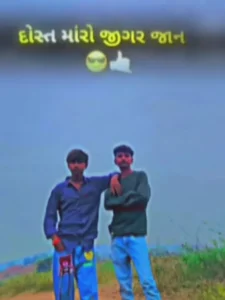
Look, I have already told you that this is a lyrics editing and this is a friendship editing, so let me tell you what editing has been done in this template. In this template, you will see that the video starts with a black background and then the lyrics of the song are played on it with an attitude emoji and the font of the lyrics is in Gujarati language. Then our clip comes with a transition effect and in the jewellery part of our clip, the lyrics of the song are played and some effects like sec effect drop and flash effect glitch effect have been used. The song used in this template is a Gujarati lofi song and it is a song about brotherhood and friendship.
Which Types of Clips Can Be Added to This Template?
Look friends, the song used in this template is Gujarati, so for this we can use a clip with our friend in this template, so friends, if you want you can also use photos in this template, it will be better if you use home photos only because if you use video then the effects will not match properly, so in this template you should use a photo with your friend. Use the best image you have of your friends, it is not necessary that only an image of 2 people will work, you can also use the image of your friend group in this.
Note: Some CapCut templates may not open in certain regions due to the app’s own restrictions. If the template button doesn’t respond, please try again later or open it directly from the official CapCut app. This external link opens the original CapCut template in a new tab. We are not affiliated with CapCut; all rights belong to their respective owners, and we only provide links for user convenience.
How To Use દોસ્ત માંરો જીગર જાન Capcut Template
Friends, you’ve been told about the CapCut template. Now that you want to use it, you can open it in CapCut using the “Check Template” button. If you don’t understand the process, read this paragraph step by step to understand.
- First, click the “Check Template” button. This button will open the template in the CapCut application.
- If you don’t have the CapCut application, it won’t open.
- To do this, first install the official version of CapCut and then open the template.
- You’ll see a preview of the template.
- Click the “Use” button below the preview.
- Your gallery will appear to add clips to the template.
- Now, add as clips as you need.
- Then, click the “Next” button. The template will edit your video.
- You just need to wait a few moments.
- When the video is ready, click the “Export” button in the top corner and save the video.
- This will automatically edit your video.
Conclusion
Friends, you can easily edit this Gujarati lyric video using this template. I’ve explained the entire process clearly, so you just need to follow it. Furthermore, similar video editing tutorials are available on our website. You can check them out and learn something new. Use this template in the latest version of CapCut; it will work smoothly.